
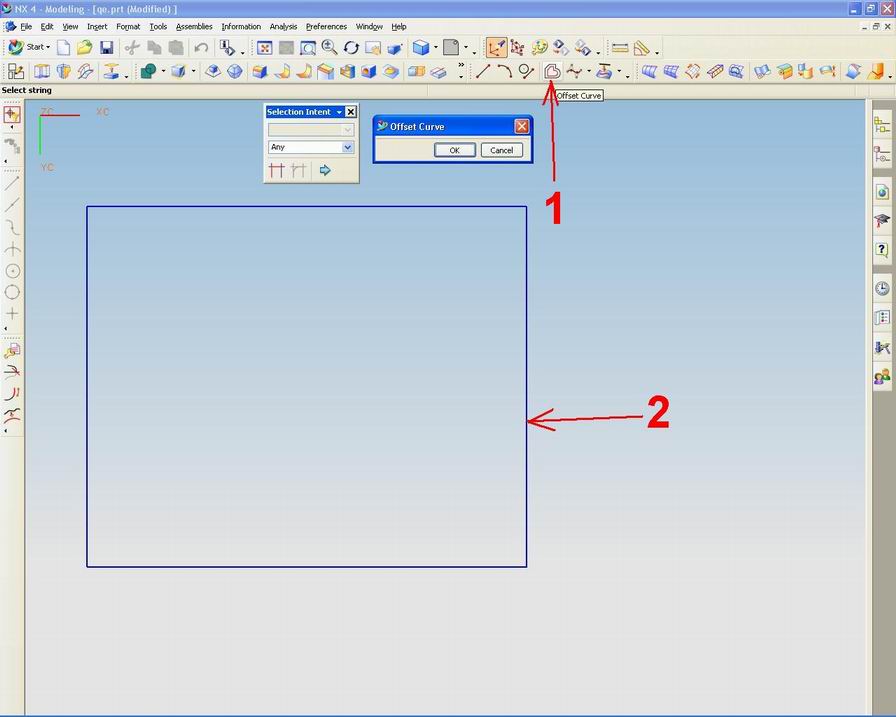
 This option allows us to create a line in relation to the reference line that we have set.
Location can be based on absolute or work in a coordinate system.
If we choose the offset, we select a line that was created as a baseline (reference site) to make a line offset.
This is useful if we want to more quickly make a lot of lines where each line offset is made from the previous line.

Steps - steps that must be done to make a line with an offset:
1.Select menu offset curve
2.Select the object that will be offset
3.klik OK on the tool offset curve
4.tentukan distance you want to create
5.klik OK to terminate the process


